Feedier AI

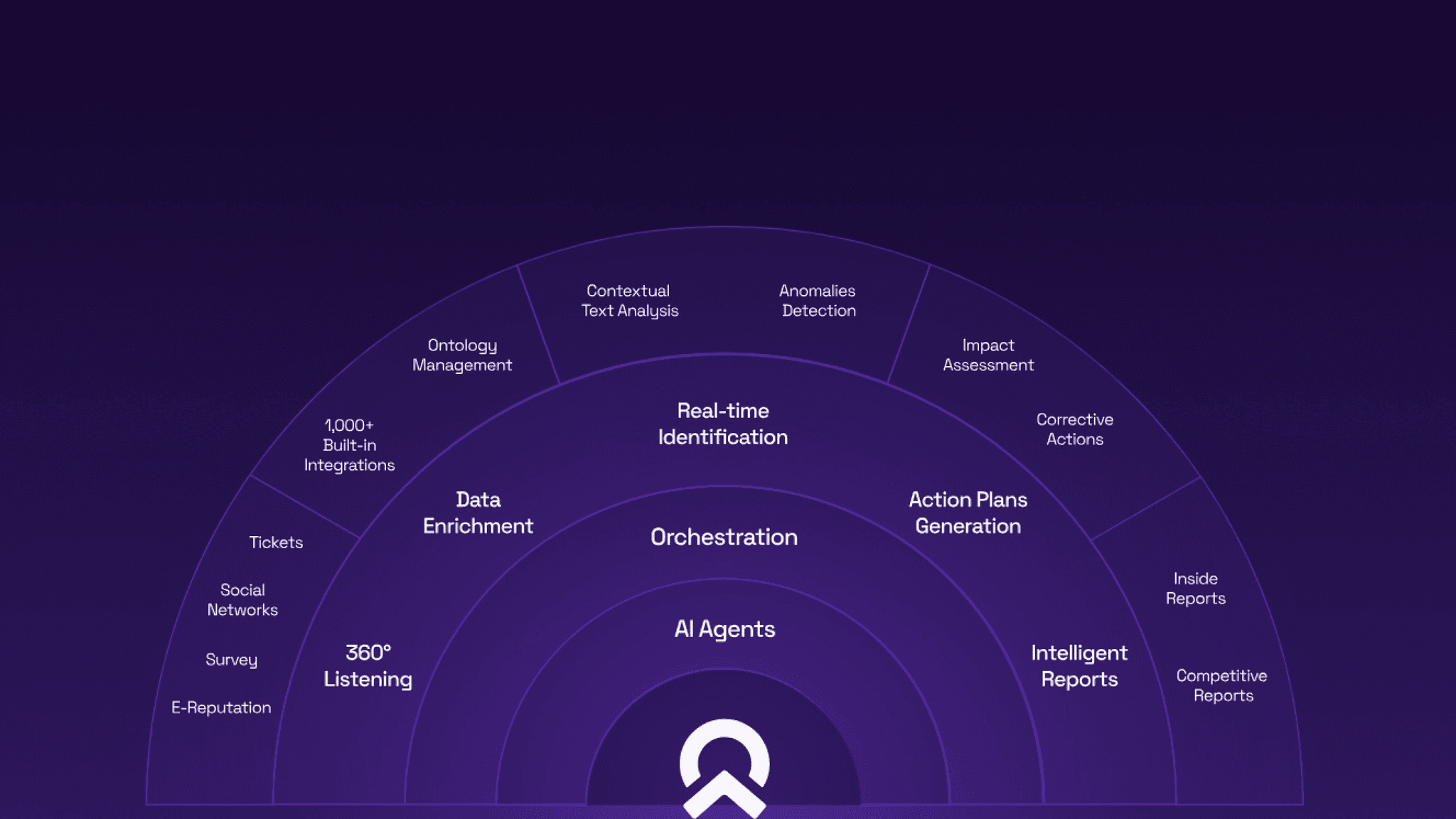
Feedier is an AI-based Customer Intelligence SaaS platform that centralizes feedback, enriches with attributes and presents insights on consultant level reports.

Feedier is an AI-based Customer Intelligence SaaS platform that centralizes feedback, enriches with attributes and presents insights on consultant level reports.

Role: Full time Product Designer

Role: Full time Product Designer

Duration: 1 year 2 months

Duration: 1 year 2 months

Tools: Figma, Figjam, SimpleLocalize

Tools: Figma, Figjam, SimpleLocalize

Scope: Design System, Design strategy, Client Demos, Accessibility audits

Scope: Design System, Design strategy, Client Demos, Accessibility audits

Designing an AI 24/7 Customer Insights Platform

This case study focuses on my work on the report feature of the Feedier BX Platform. However, I was responsible for the entire platform’s UI design from ideation to implementation. I’ve simply narrowed the scope down to keep this case study focused.

The Challenge
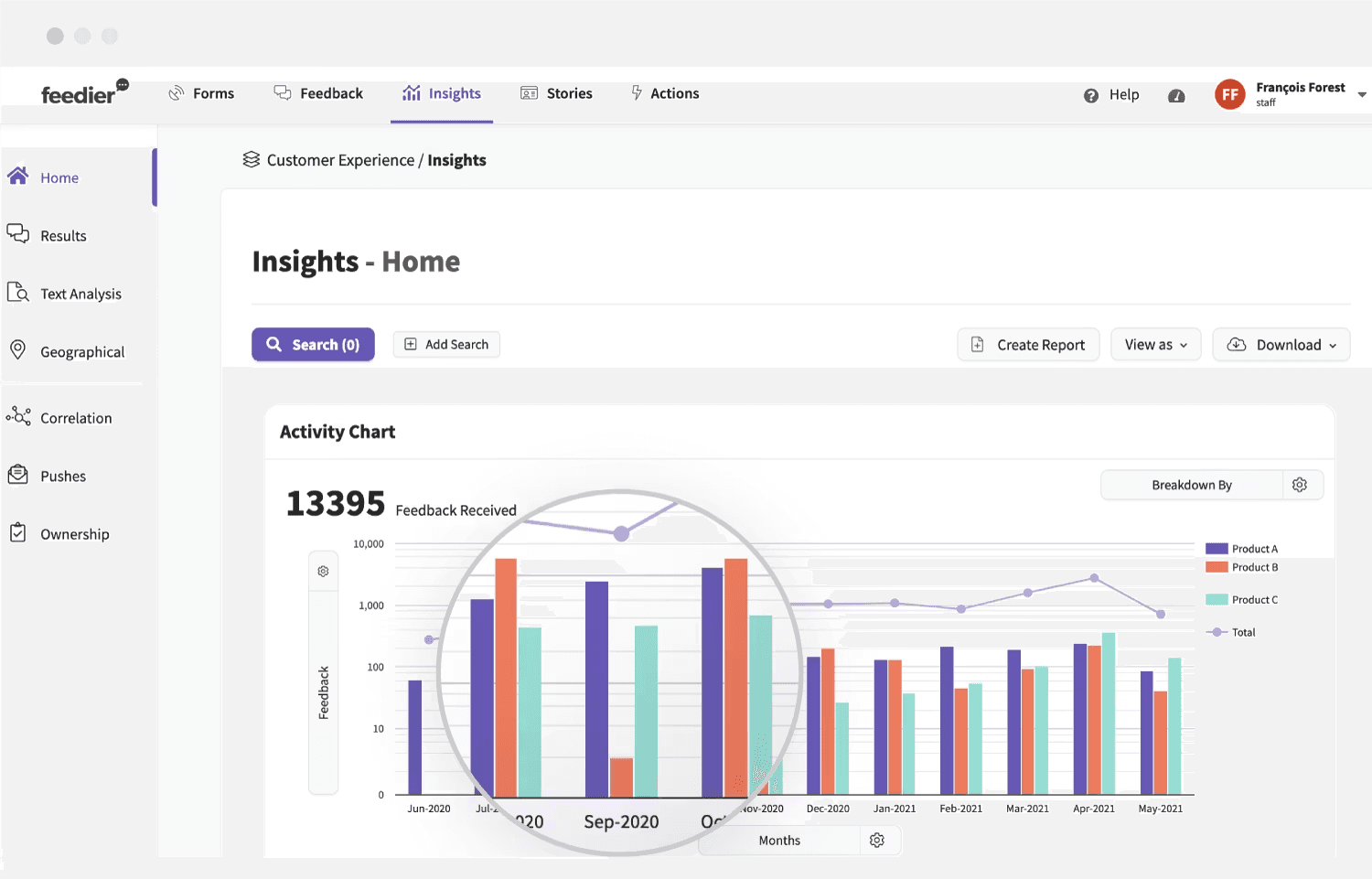
Our reports were not actually being created BY our users but by our CS Team members..Why?

  • Most users found it too complex to add or customize charts beyond the template’s defaults.

  • When an error occurred, users had no way to identify the cause or know what to do next, other than contacting the support team.

  • Customizing the report's appearance (and other parts of the platform at the time) required HTML and CSS coding knowledge.

What we did

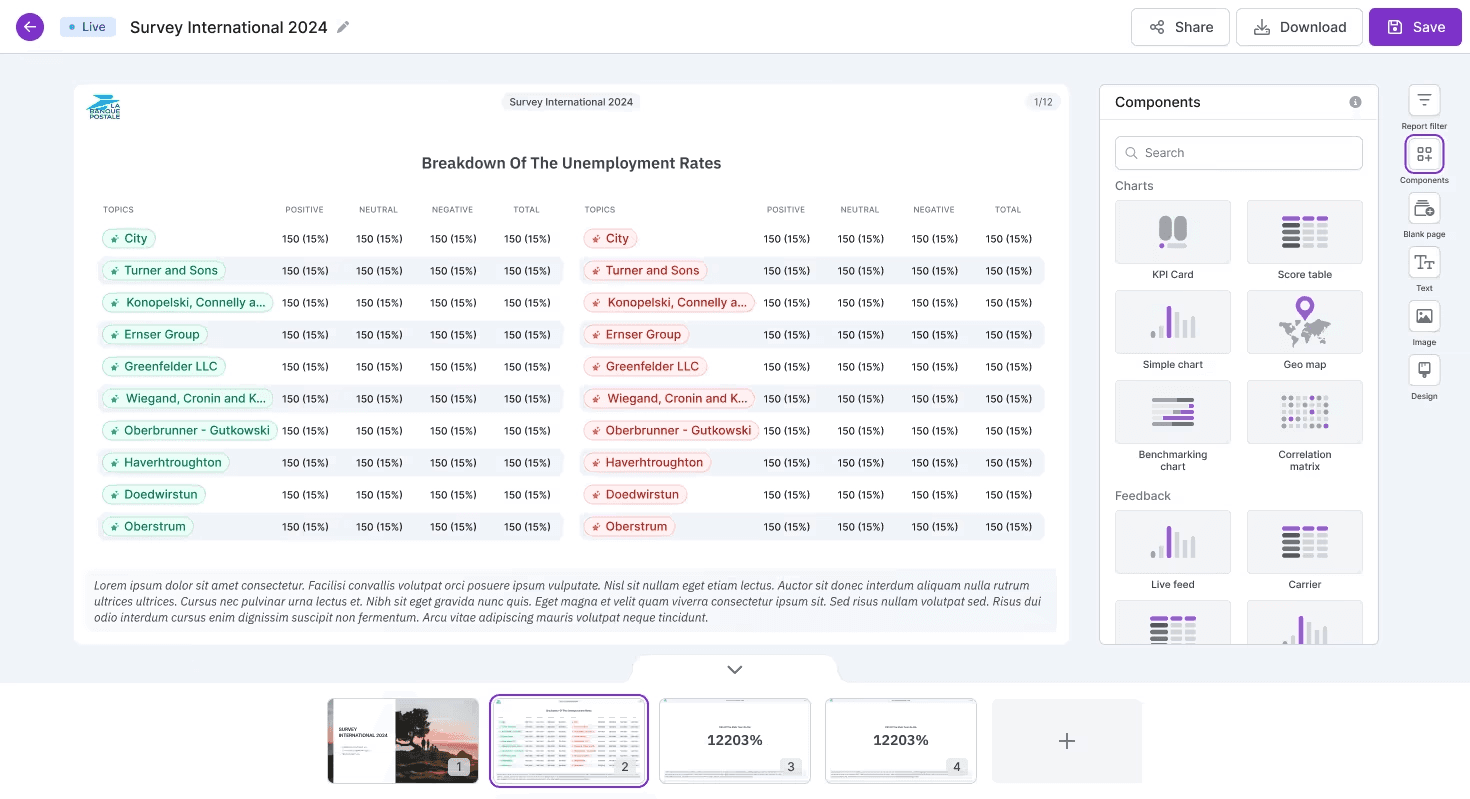
After learning the CS team handled most report creation and users relied on screenshots over full exports, we redesigned reporting around actual user behavior.

1. Getting to know our users

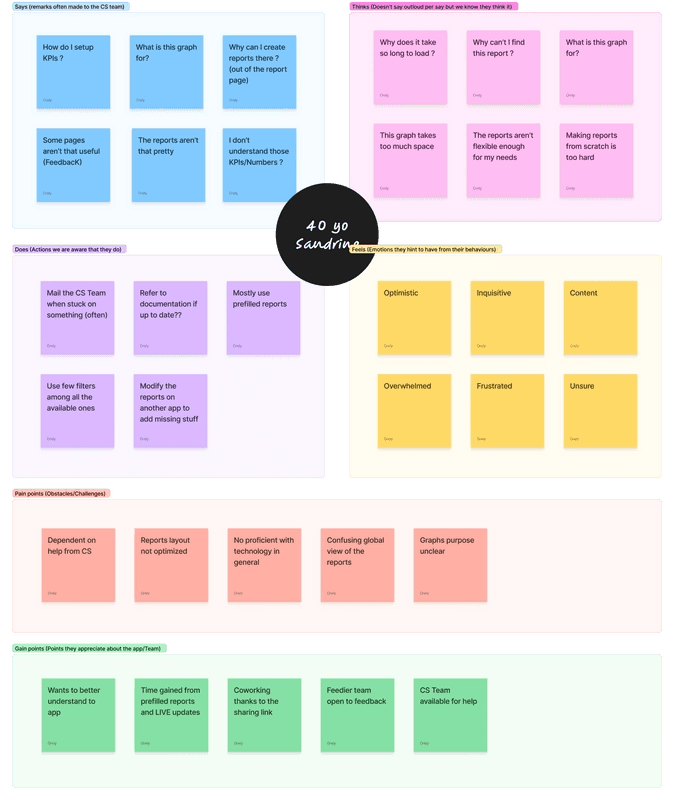
We took the opportunity to learn more about our users once more and created a profile of a typical Feedier BX Platform user. Meet Sandrine! She loves the Feedier CS team, their responsiveness, and the raw data the platform provides, but dislikes the platform's complexity, slow speed, and lack of in-app guidance.
  1. The plan

We shifted our entire focus to making the reports something our users would actually use and value. After three months of work, we officially released the first major update, centered on three key areas: Clarity, Flexibility, and Showability.
Clarity

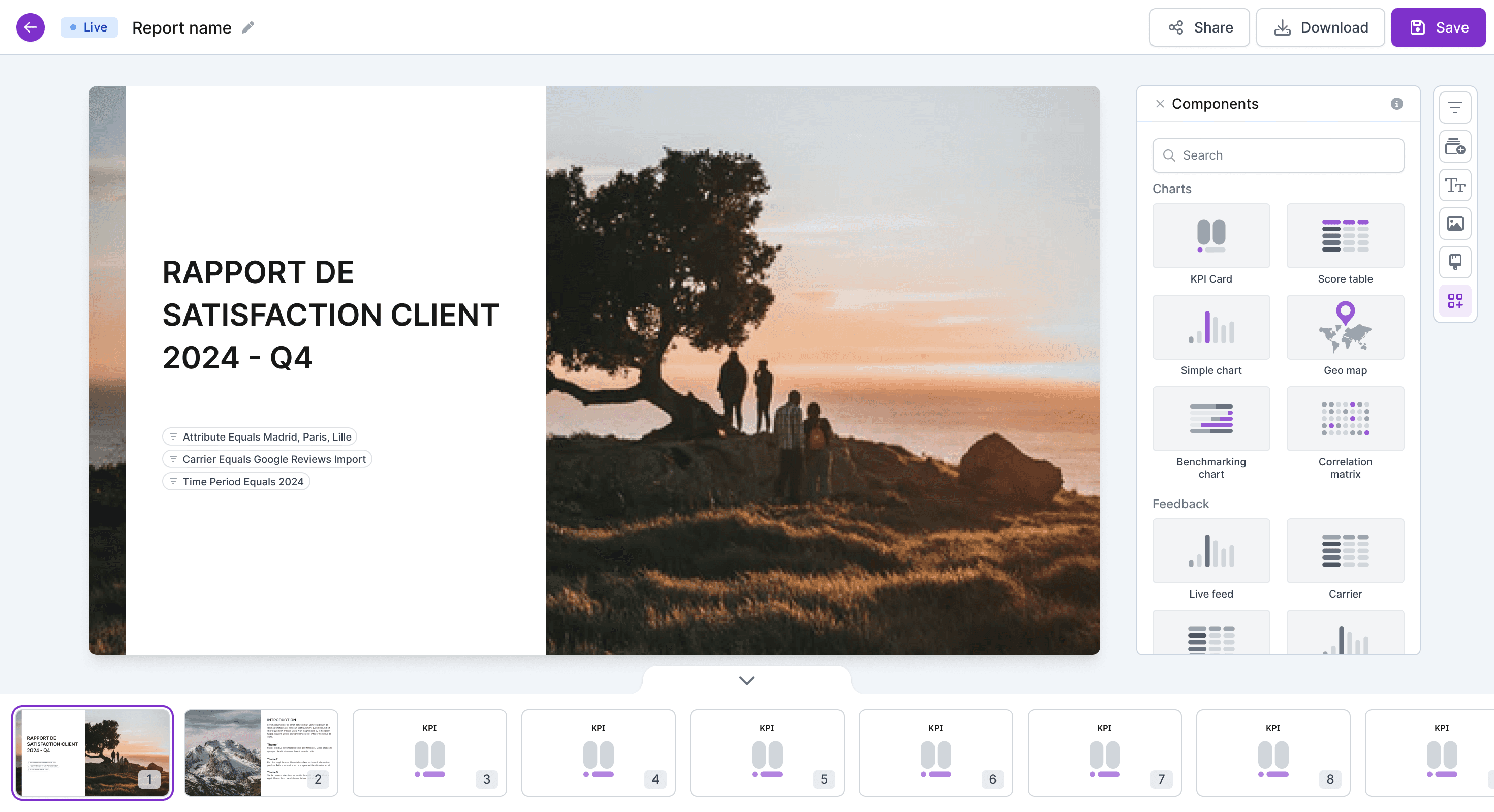
  • Reworked the page layout and all charts to clearly represent insights and data.Centralized tools into a dedicated component and filter section

  • Added required labels to inputs essential for component functionality.

  • Improved error messages with contextual explanations to guide users in resolving issues.

  • And much more!

Flexibility

  • Reports could now be easily renamed, organized in folders, and moved across teams.

  • Their appearance followed the team-wide branding settings (no more coding knowledge needed)

  • New charts were added with clearer goals and simpler configurations.

  • Added new KPI types created a new formula language inspired by the Excel formula logic
Showability

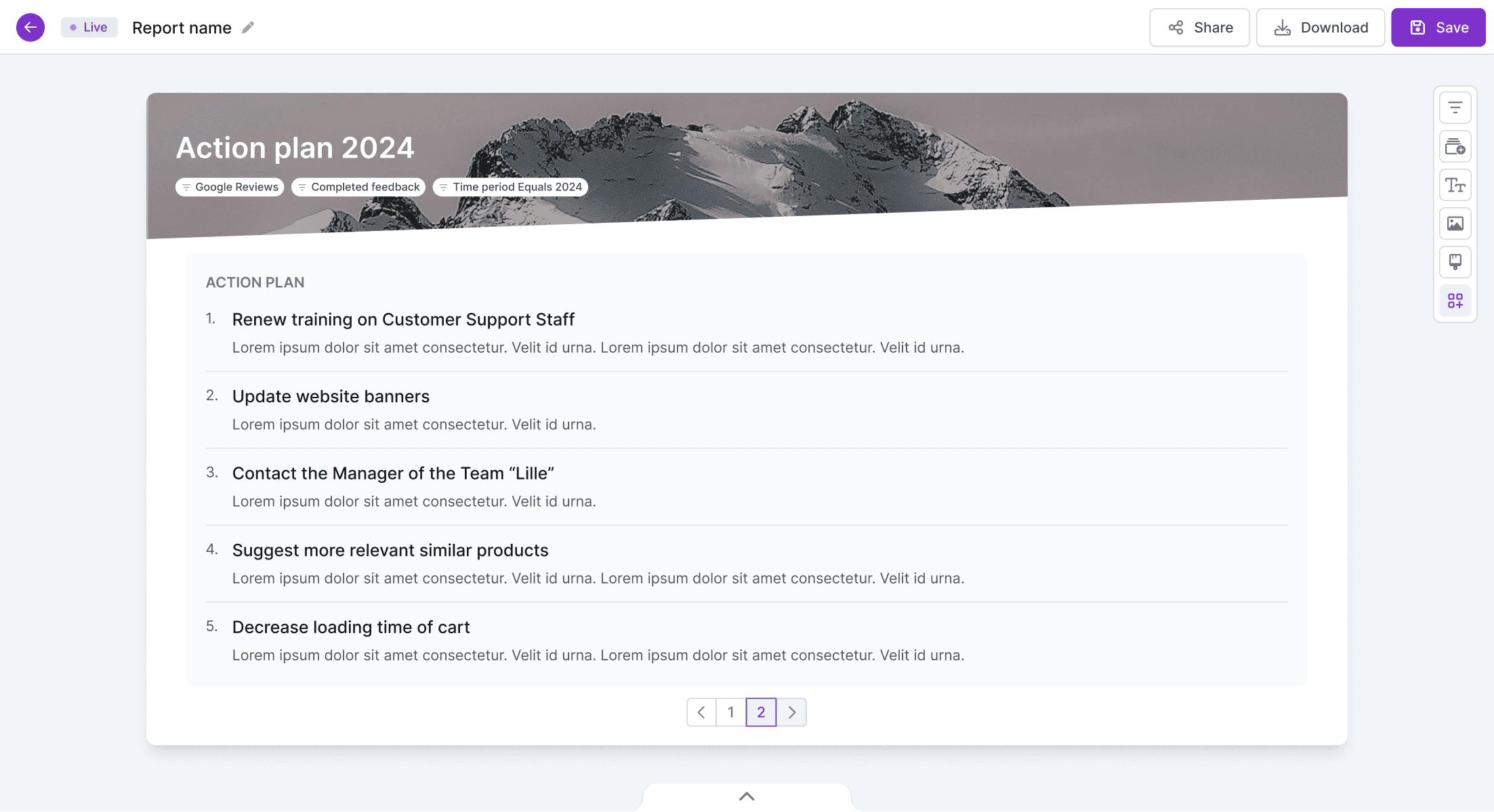
  • Expanded the report’s page view to be larger.

  • Added page previews with named thumbnails.

  • Planned a presentation feature to allowing users to present live reports..live!

  • Introduced new report cover design and template options to chose from.

  • Allowed users to choose color palettes to customize all chart appearances.

The result

  • Our users started sharing fewer external reports, using native Feedier reports instead.

  • Client even requested onboarding on how to build their own reports.

  • Experienced users became quicker than me in answering questions during workshops!

  • We started receiving emails praising our updates.

  • High value deals were closed!

This video was recently shared by Feedier and showcases the final product featured in this case study. Great to see it brought to life!
Go back

Molecular Vista - Redesigning a flagship microscope software

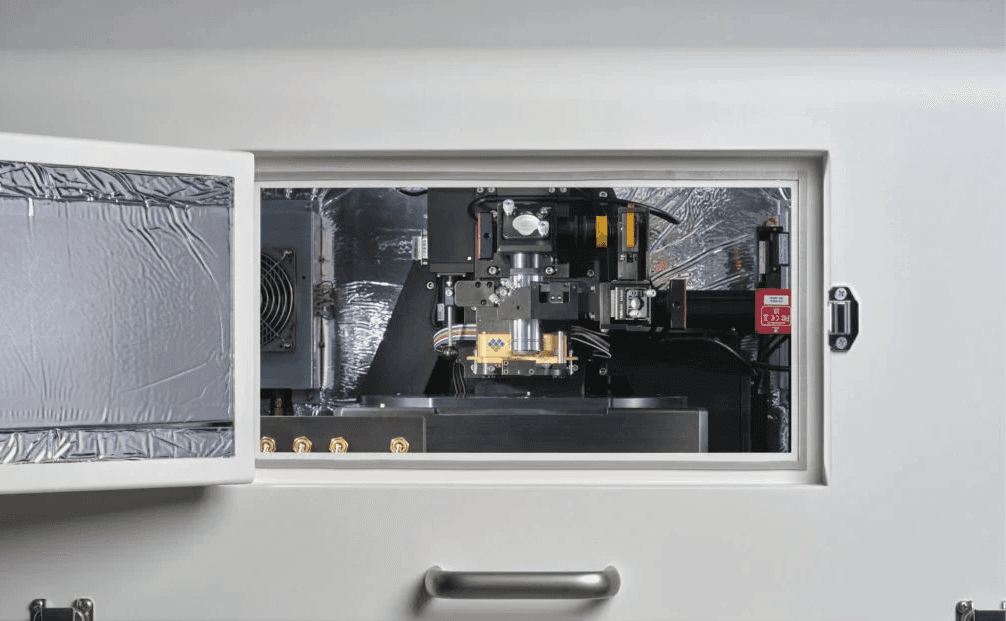
I was brought in to help modernize the UI of Molecular Vista’s scanning software, a specialized application used in advanced scientific lab workflows. The engagement began through a direct introduction to the company’s leadership team and software group, who were looking to improve the usability and consistency of their internal scanning software.

What started as a one-month consulting engagement quickly expanded as it became clear the core issue wasn’t simply visual polish, it was the absence of a scalable interface system to support the product’s growing complexity.

The challenge wasn’t simplifying the UI. It was introducing structure, consistency, and clarity without slowing down the highly technical workflows the product depended on.

The Challenge

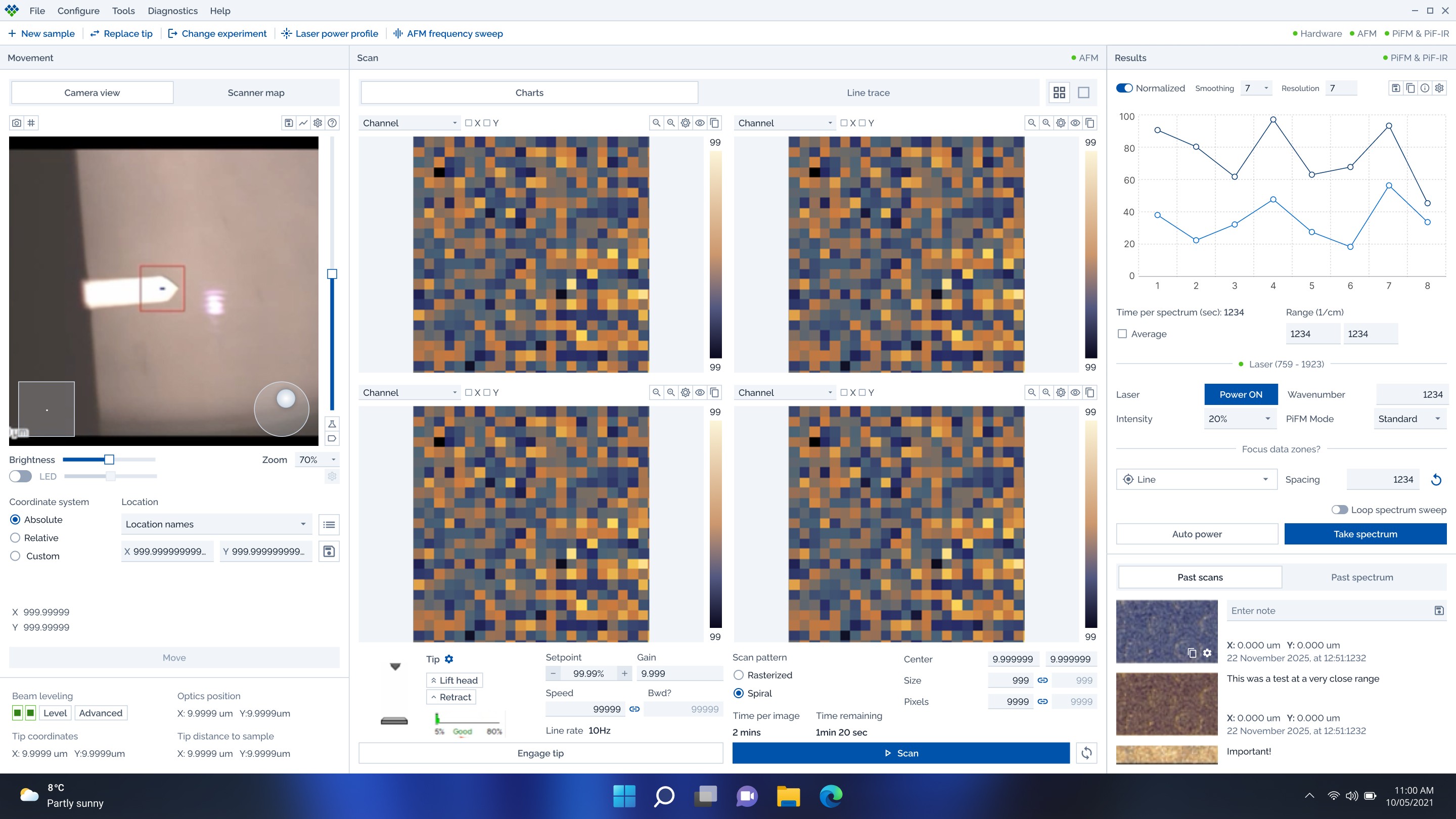
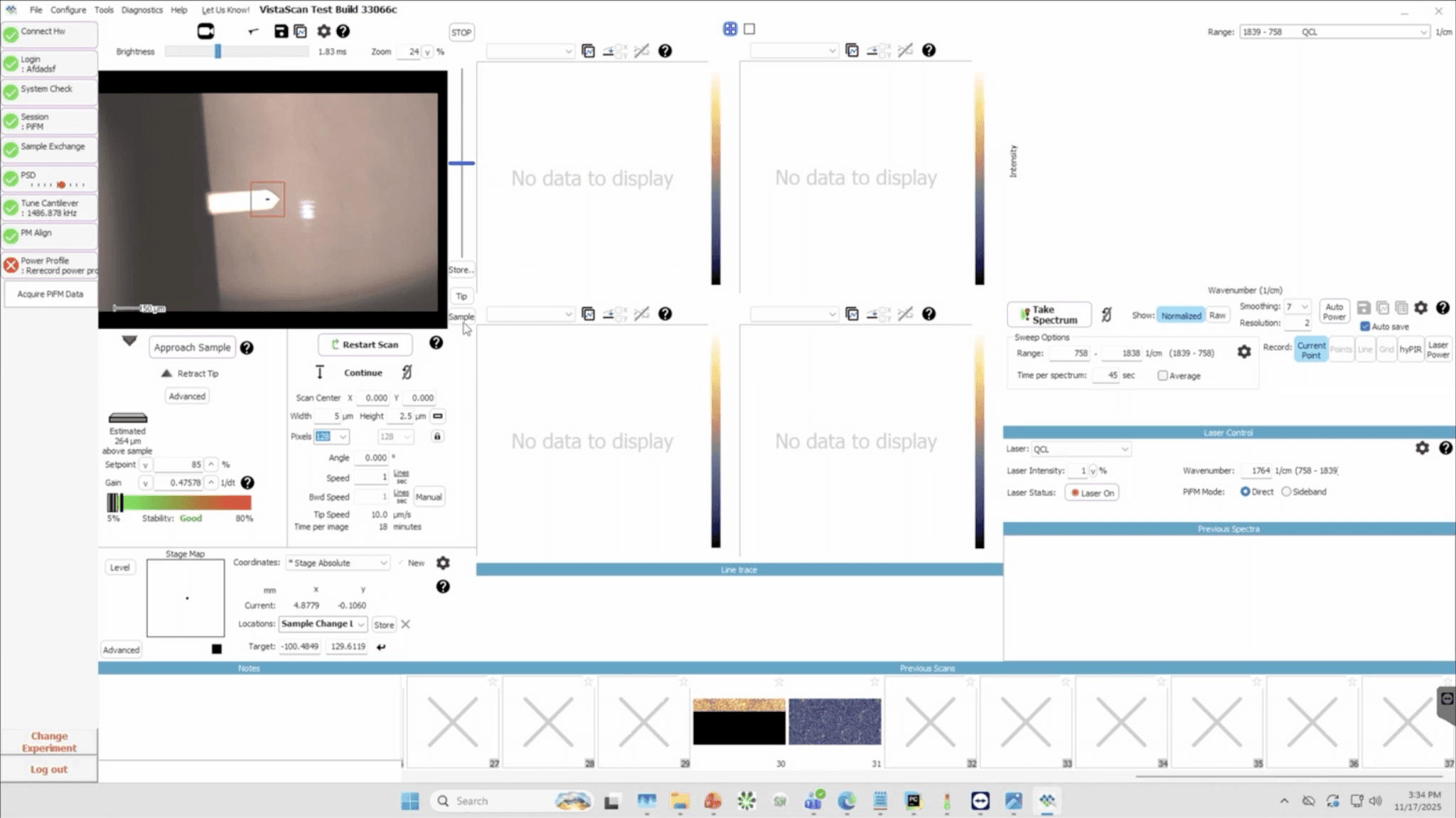
The Vista scanning interface had evolved organically over time. While powerful, it lacked a consistent system and was difficult to scale.

Key constraints included:

  • High interaction density: closer to audio/video editing software than typical SaaS apps

  • Top-level accessibility requirements: many controls needed to remain visible at all times

  • Fast implementation needs: the team wanted usable components quickly

  • Accessibility expectations: color contrast and legibility improvements were required

  • Industry standards consideration : later exploration into SEMI E-95 interface guidelines

The design system couldn’t just look modern, it needed to handle one of the most complex screens in the product.

My Approach

Instead of starting with documentation, I focused on building a usable system immediately while ensuring it could evolve with the product.

1. Establish a Scalable Foundation

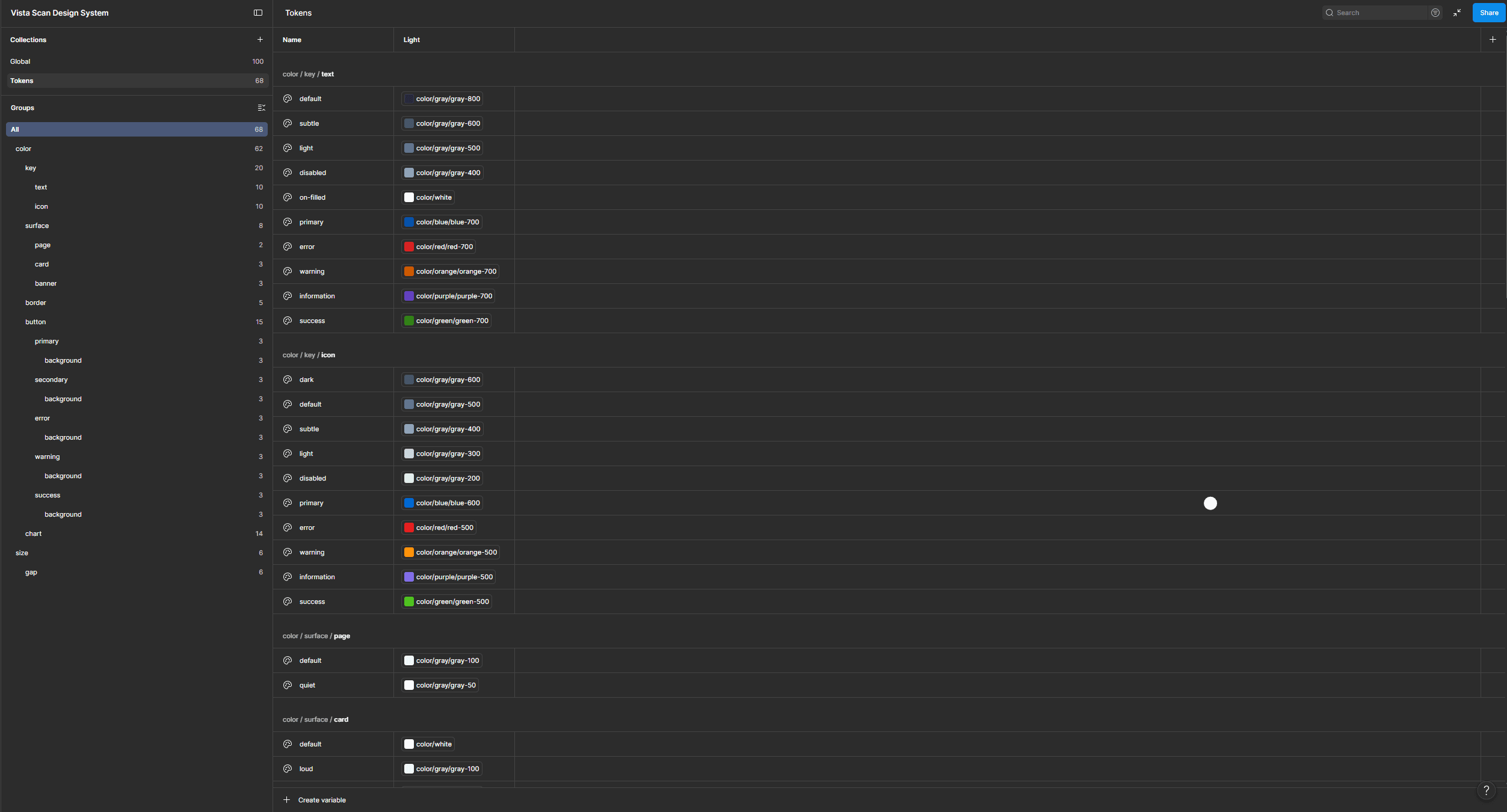
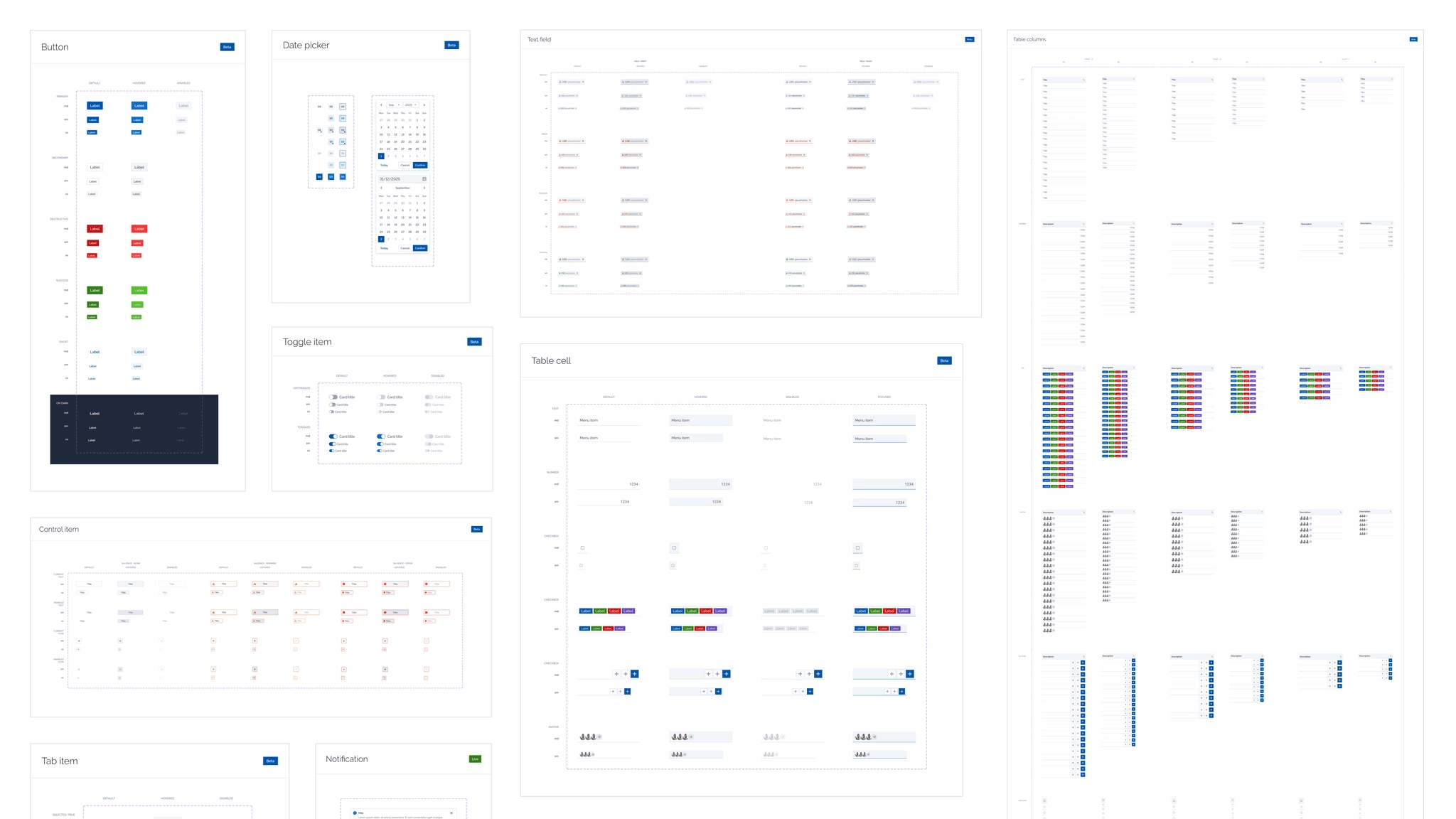
I created a variables-driven design system in Figma designed for flexibility and fast iteration.

This included:

  • Semantic color tokens designed for AA accessibility (with several AAA combinations)

  • Typography and spacing variables to enable global updates without manual component edits

  • A growing component library covering buttons, inputs, lists, dropdowns, sliders, tabs, and cards

This token-based structure meant large visual changes could be made quickly without rebuilding the interface.

  1. Stress-Testing it on a Complex Screen

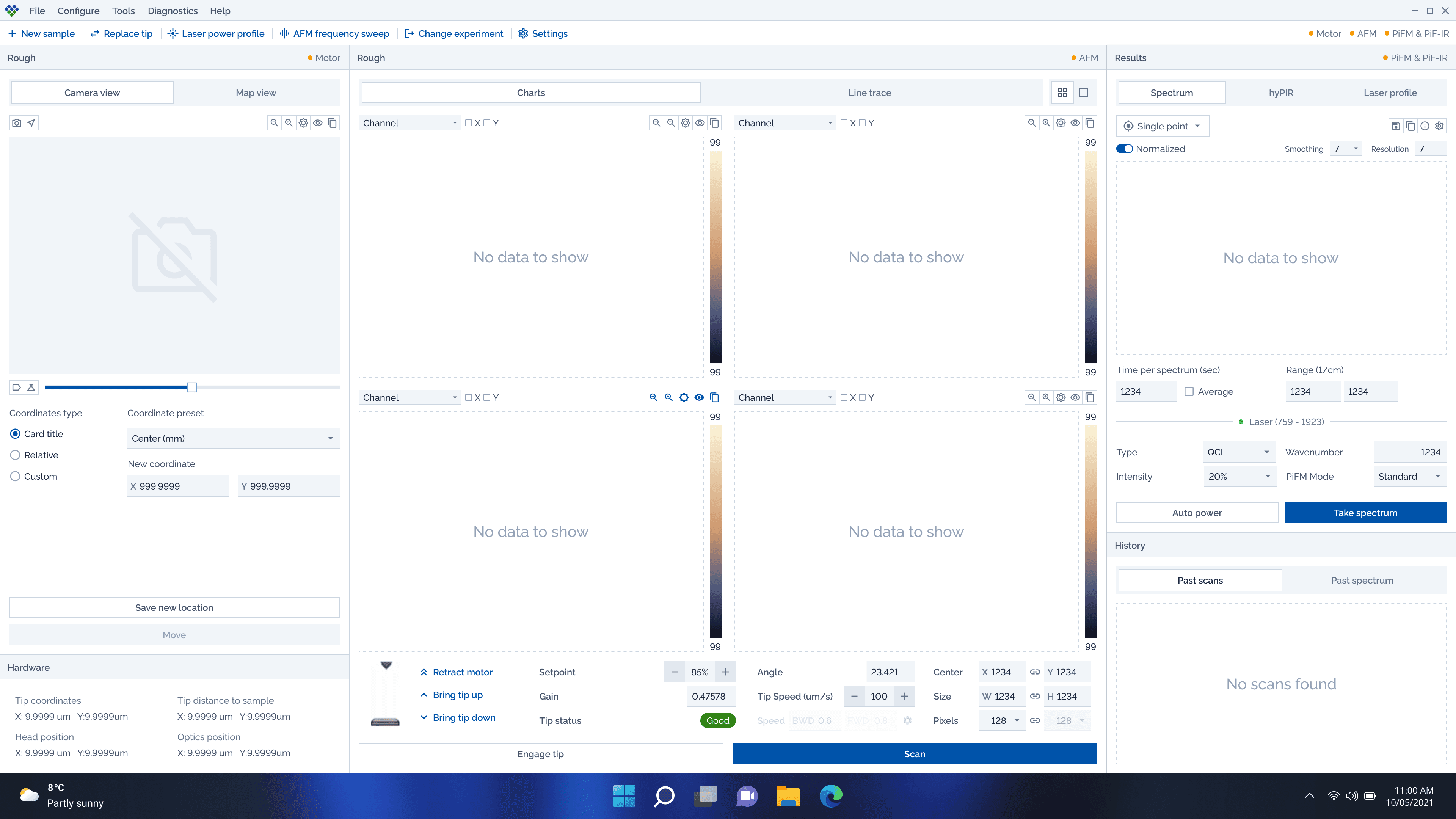
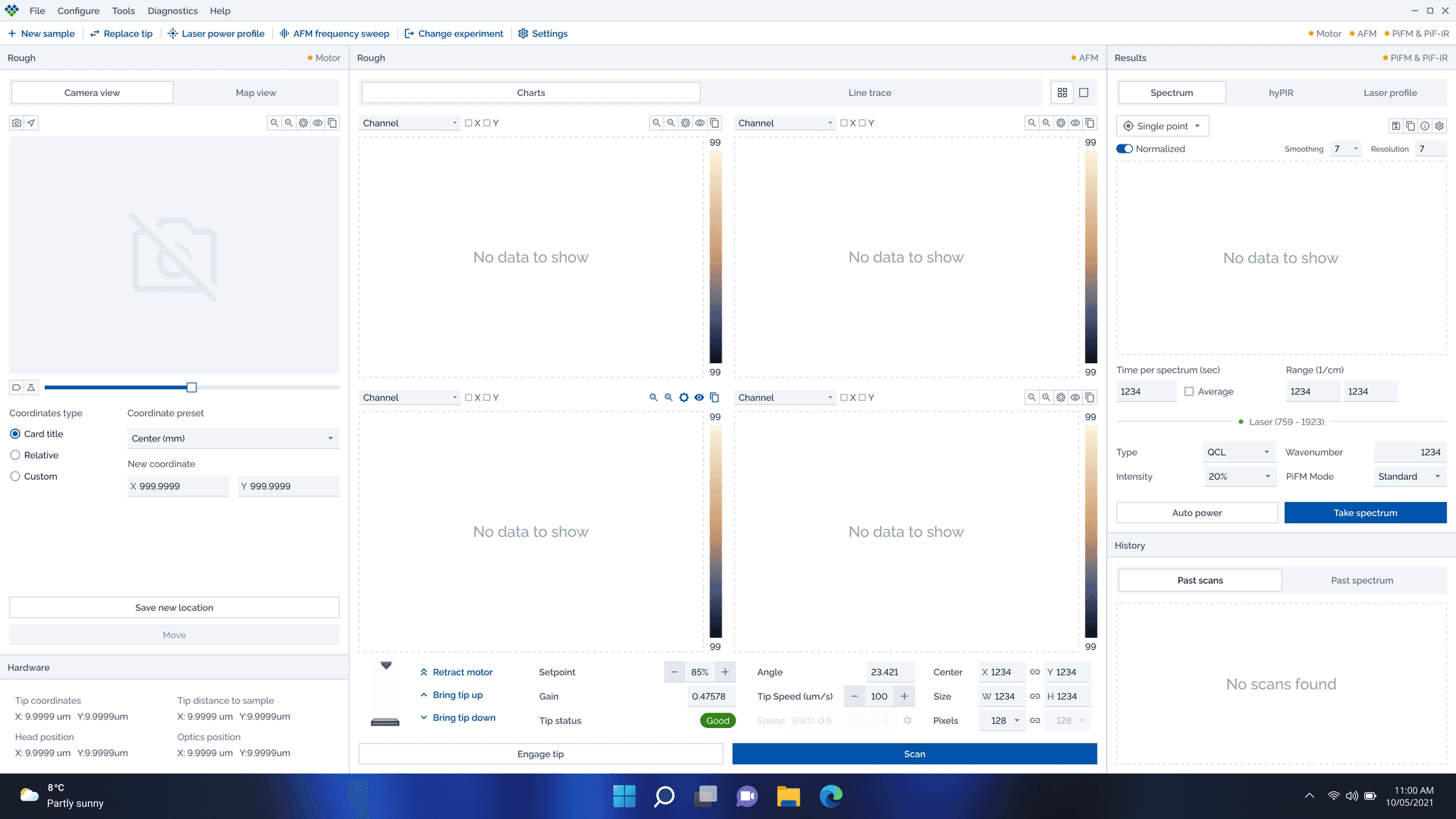
Rather than designing abstract components in isolation, I began applying them directly to the Main Scan screen, the most constrained and feature-dense interface in the product.

I explored layout structures inspired by other high-density tools (such as music and video editing software) to:

  • Improve visual hierarchy and readability

  • Reduce clutter without hiding important functionality

Feedback from the software lead reinforced a key principle:
The system had to support complexity rather than hide it.

3. Reframing Onboarding as a Workflow System

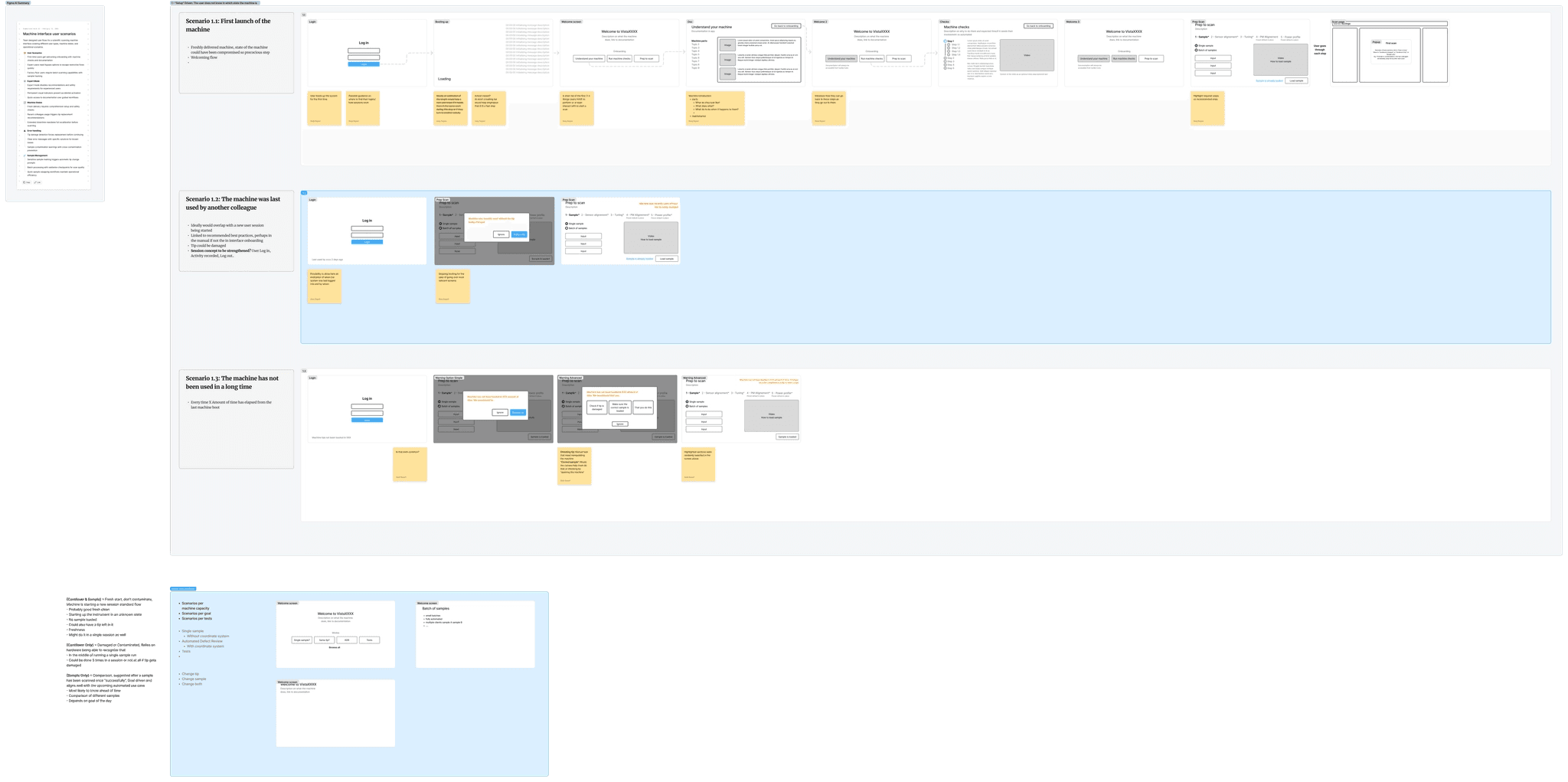
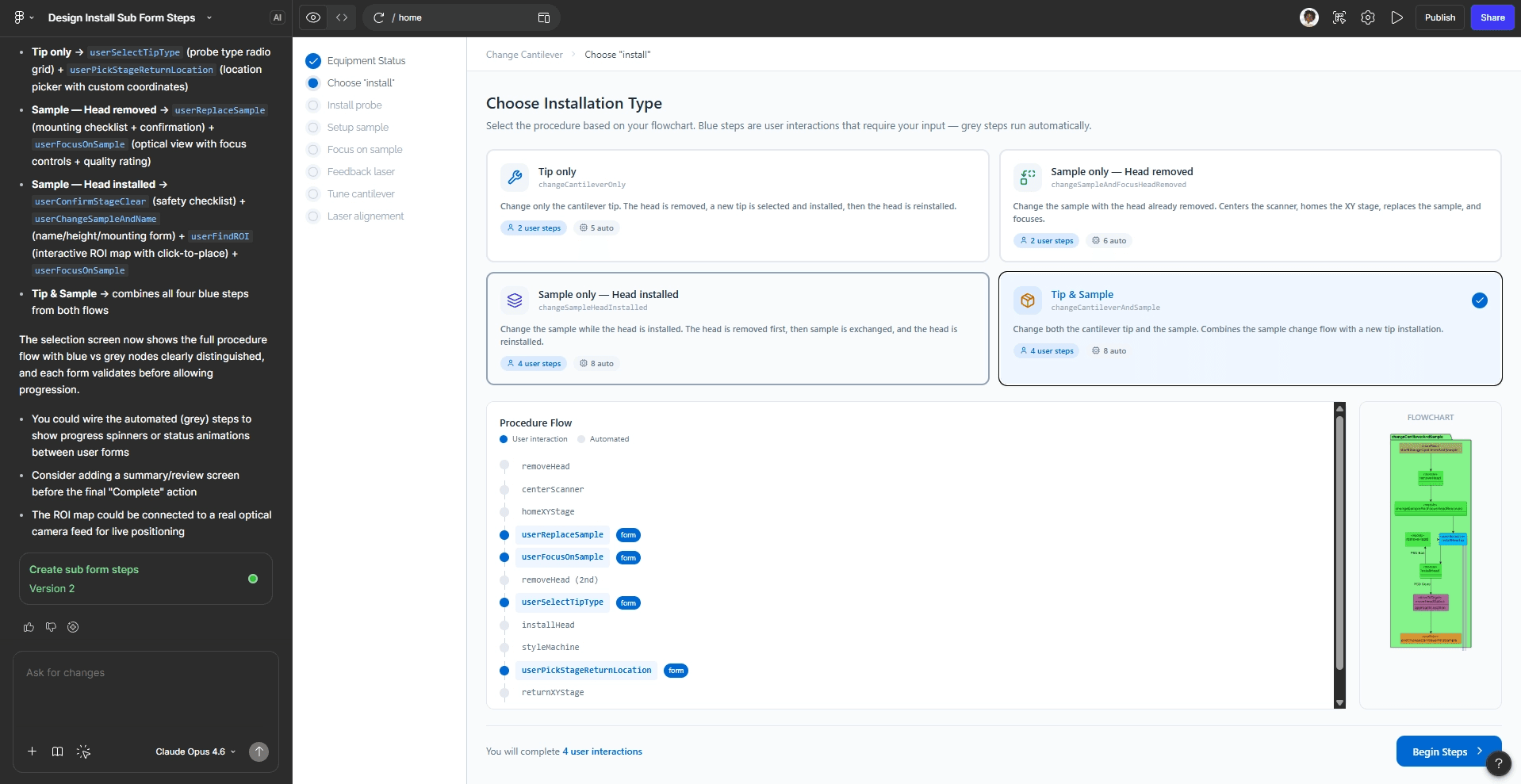
The setup flow was originally designed as a linear wizard, but once users reached the main interface they often needed to return to specific configuration steps depending on what they wanted to adjust.

Instead of treating onboarding as a one-time flow, I reframed it as a revisitable configuration workflow.

I explored:

  • Navigation patterns allowing users to jump back to setup steps

  • Clear communication of locked or dependent states

  • Entry points from the main screen to key configuration areas

Low-fidelity workflow scenarios in FigJam helped align stakeholders on these behaviors before committing to detailed UI.

  1. Supporting Engineering Implementation

Since the design system was intended for immediate use, I focused on practical workflows for the engineering team. The application is built using Delphi, which relies heavily on PNG assets for many UI elements. Because of this, providing fast and reliable exports was essential for implementation.

So to speed up implementation, I created:

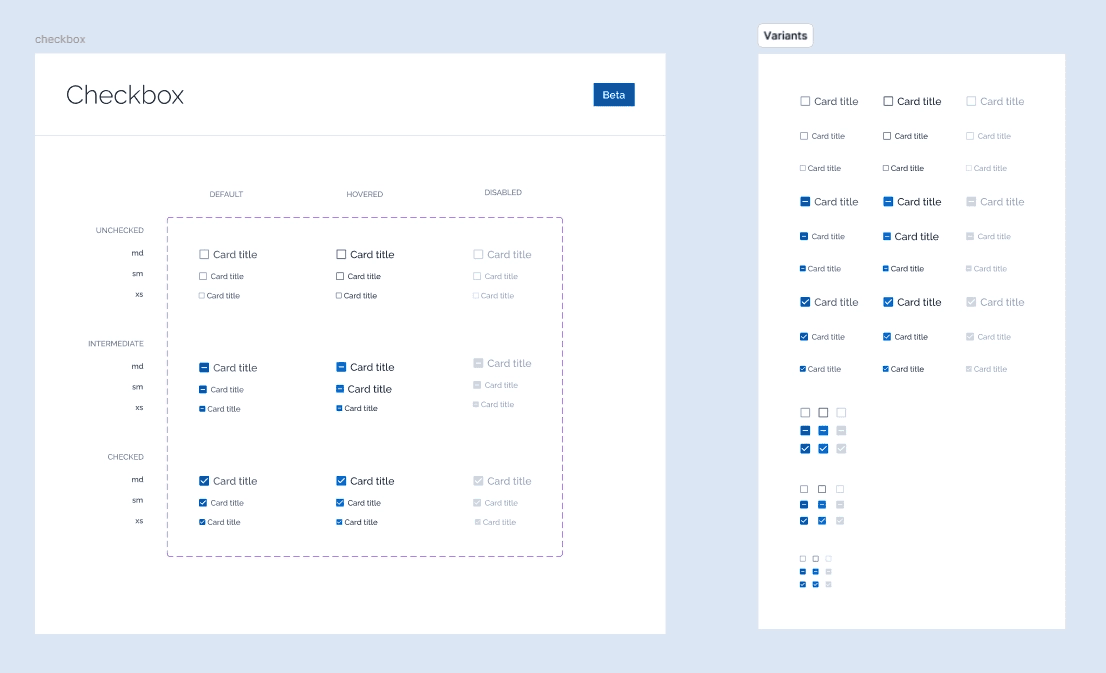
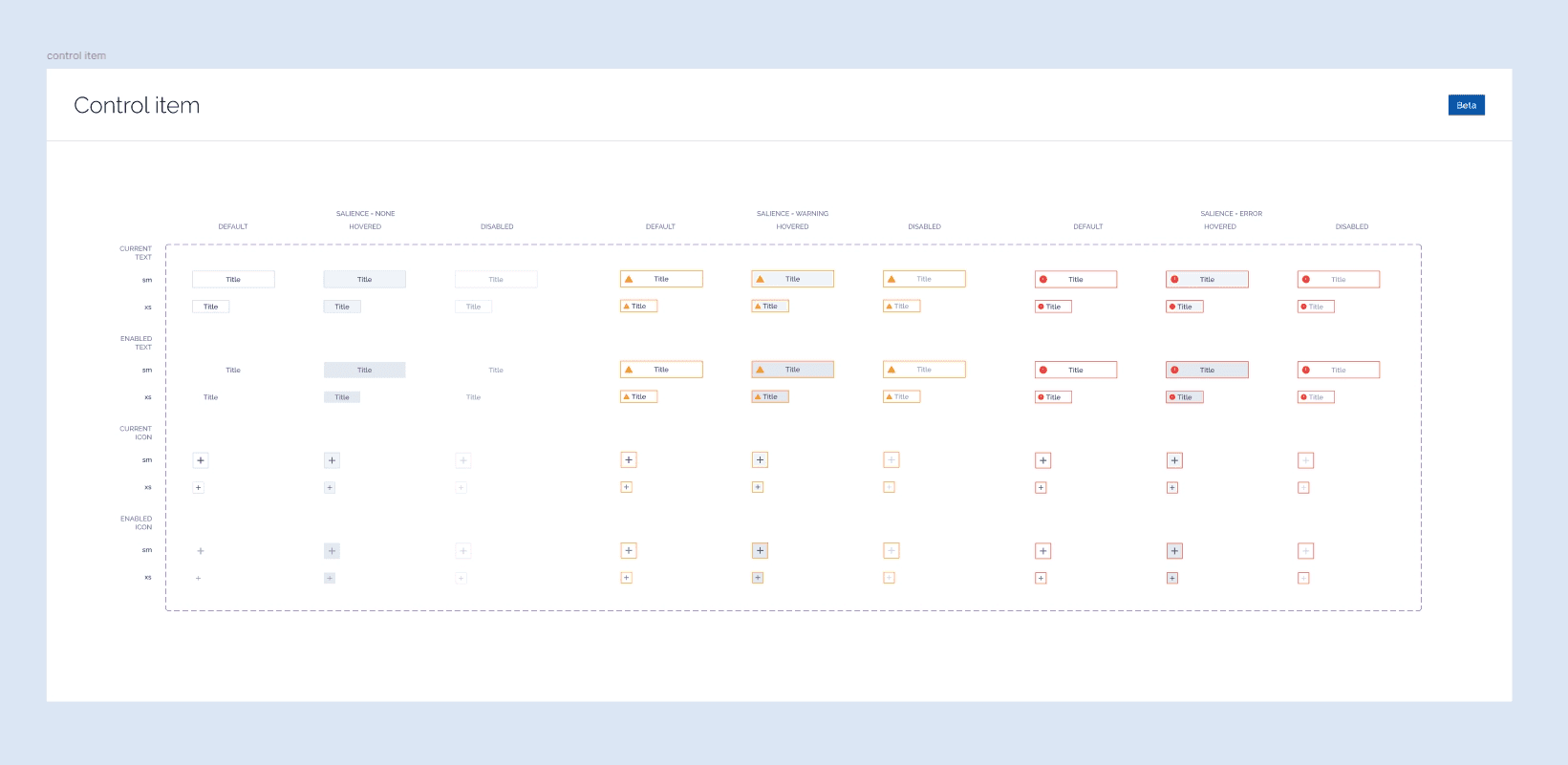
  • Component pick-up zones showing all variants in one place

  • Fast export methods using Figma slices and copy-as-PNG shortcuts

  • Clean component structures engineers could easily reference

The goal was simple: make the system easy to use under real deadlines, not just well organized.

5. Exploring Industry UI Standards

Later in the project, the team began considering SEMI E-95 interface guidelines, which emphasize strong visual salience and affordances in industrial software.

So to speed up implementation, I created:

  • Stronger interaction cues to increase affordance clarity

  • A more minimal visual style aligned with the product’s emerging design language

This work helped frame the design tradeoffs and provided a foundation for future compliance decisions.

Outcome

By the end of the engagement, the team had:

  • A token-based design system foundation ready to scale with the product

  • A near-complete component library capable of supporting dense scientific workflows

  • Early layout explorations proving the system could handle the product’s most complex screen

  • Workflow concepts that reframed onboarding as a revisitable configuration system

  • Practical implementation patterns that supported engineering adoption

The project gave the team a shared UI language and a scalable foundation for future interface improvements.

What we explored next

By the end of the engagement, the team had:

  • Usability validation with lab operators to test dense layout assumptions

  • Expanding the design system into interaction patterns and behavioral guidelines

  • Deeper alignment with SEMI E-95 standards and industrial UI affordances

Go back

Molecular Vista - Redesigning a flagship microscope software

I was brought in to help modernize the UI of Molecular Vista’s scanning software, a specialized application used in advanced scientific lab workflows. The engagement began through a direct introduction to the company’s leadership team and software group, who were looking to improve the usability and consistency of their internal scanning software.

What started as a one-month consulting engagement quickly expanded as it became clear the core issue wasn’t simply visual polish, it was the absence of a scalable interface system to support the product’s growing complexity.

The challenge wasn’t simplifying the UI. It was introducing structure, consistency, and clarity without slowing down the highly technical workflows the product depended on.

The Challenge

The Vista scanning interface had evolved organically over time. While powerful, it lacked a consistent system and was difficult to scale.

Key constraints included:

  • High interaction density: closer to audio/video editing software than typical SaaS apps

  • Top-level accessibility requirements: many controls needed to remain visible at all times

  • Fast implementation needs: the team wanted usable components quickly

  • Accessibility expectations: color contrast and legibility improvements were required

  • Industry standards consideration : later exploration into SEMI E-95 interface guidelines

The design system couldn’t just look modern, it needed to handle one of the most complex screens in the product.

My Approach

Instead of starting with documentation, I focused on building a usable system immediately while ensuring it could evolve with the product.

1. Establish a Scalable Foundation

I created a variables-driven design system in Figma designed for flexibility and fast iteration.

This included:

  • Semantic color tokens designed for AA accessibility (with several AAA combinations)

  • Typography and spacing variables to enable global updates without manual component edits

  • A growing component library covering buttons, inputs, lists, dropdowns, sliders, tabs, and cards

This token-based structure meant large visual changes could be made quickly without rebuilding the interface.

  1. Stress-Testing it on a Complex Screen

Rather than designing abstract components in isolation, I began applying them directly to the Main Scan screen, the most constrained and feature-dense interface in the product.

I explored layout structures inspired by other high-density tools (such as music and video editing software) to:

  • Improve visual hierarchy and readability

  • Reduce clutter without hiding important functionality

Feedback from the software lead reinforced a key principle:
The system had to support complexity rather than hide it.

3. Reframing Onboarding as a Workflow System

The setup flow was originally designed as a linear wizard, but once users reached the main interface they often needed to return to specific configuration steps depending on what they wanted to adjust.

Instead of treating onboarding as a one-time flow, I reframed it as a revisitable configuration workflow.

I explored:

  • Navigation patterns allowing users to jump back to setup steps

  • Clear communication of locked or dependent states

  • Entry points from the main screen to key configuration areas

Low-fidelity workflow scenarios in FigJam helped align stakeholders on these behaviors before committing to detailed UI.

  1. Supporting Engineering Implementation

Since the design system was intended for immediate use, I focused on practical workflows for the engineering team. The application is built using Delphi, which relies heavily on PNG assets for many UI elements. Because of this, providing fast and reliable exports was essential for implementation.

So to speed up implementation, I created:

  • Component pick-up zones showing all variants in one place

  • Fast export methods using Figma slices and copy-as-PNG shortcuts

  • Clean component structures engineers could easily reference

The goal was simple: make the system easy to use under real deadlines, not just well organized.

5. Exploring Industry UI Standards

Later in the project, the team began considering SEMI E-95 interface guidelines, which emphasize strong visual salience and affordances in industrial software.

So to speed up implementation, I created:

  • Stronger interaction cues to increase affordance clarity

  • A more minimal visual style aligned with the product’s emerging design language

This work helped frame the design tradeoffs and provided a foundation for future compliance decisions.

Outcome

By the end of the engagement, the team had:

  • A token-based design system foundation ready to scale with the product

  • A near-complete component library capable of supporting dense scientific workflows

  • Early layout explorations proving the system could handle the product’s most complex screen

  • Workflow concepts that reframed onboarding as a revisitable configuration system

  • Practical implementation patterns that supported engineering adoption

The project gave the team a shared UI language and a scalable foundation for future interface improvements.

What we explored next

By the end of the engagement, the team had:

  • Usability validation with lab operators to test dense layout assumptions

  • Expanding the design system into interaction patterns and behavioral guidelines

  • Deeper alignment with SEMI E-95 standards and industrial UI affordances